


17th September 2026
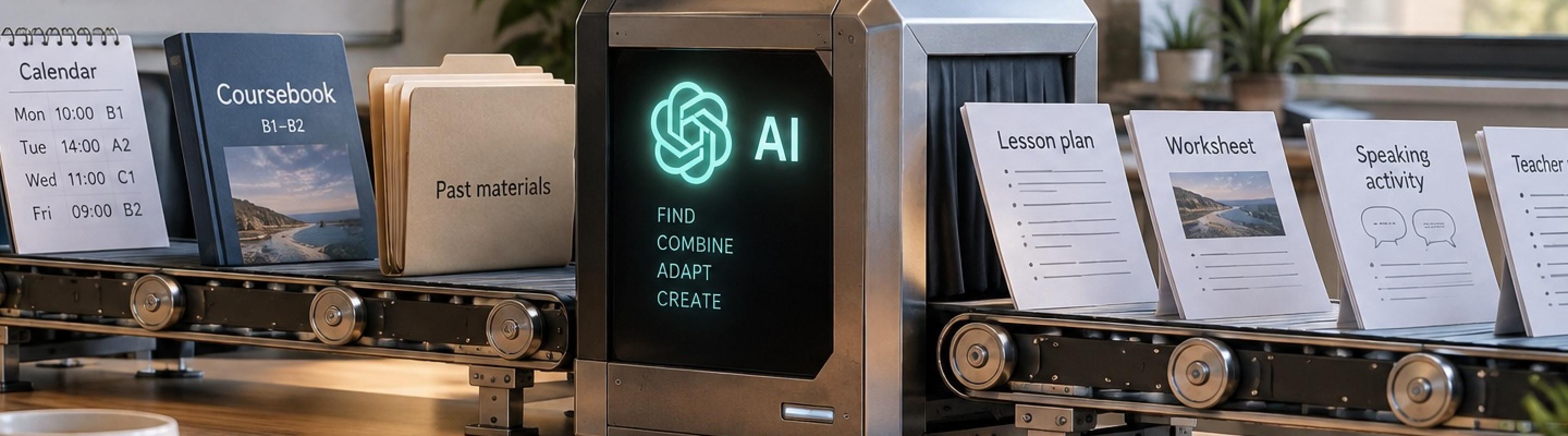
For a lot of teachers, using AI to make teaching materials still looks something like this. You open ChatGPT or another AI. You explain the lesson you are teaching. You upload a page from the coursebook. You describe the students. You might upload a couple of previous worksheets so the AI can copy your style. Then you spend a few minutes working on a prompt, wait for the worksheet, check it, ask for changes and eventually end up with something you can use.
That can work quite well. In fact, compared with making the whole thing yourself, it can save a lot of time.
Stop Prompting Like It’s 2023!
But if that process sounds familiar, you are still using AI a lot like it was 2023.
The next step is to stop doing so much of the work yourself. Instead of repeatedly telling AI what you teach, where your materials are and what a good worksheet looks like, you can give it access to the places where that information already lives. From there, you can gradually move towards a system where AI works out what you are teaching, creates the material, checks it and puts it somewhere useful before you even ask.
Don’t Upload, Connect
A couple of years ago, giving AI context usually meant attaching files to every conversation. Upload the syllabus. Upload the coursebook page. Upload last week’s worksheet. Explain the class again. That is becoming unnecessary.
You probably already keep much of this information somewhere. Your coursebook might be in Google Drive or Box. Your syllabus might be in the same folder. Lesson information might be in your calendar. Previous worksheets might sit in another folder. Details about a class might be in email, a lesson planning document or another system you use regularly.
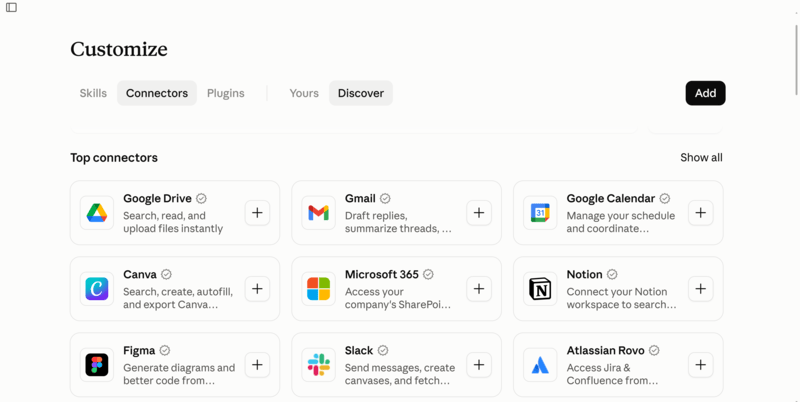
Instead of copying all this into every conversation, you can connect the AI to those sources and give it permission to read the information it needs. You still control what it can access. The difference is that once the connection exists, you can ask it to find the information rather than repeatedly feeding it the information.
So instead of saying, “Here is Unit 5, here is my syllabus and here are three worksheets I made before”, you can say something like, “I’m teaching my Tuesday afternoon class this week. Check the syllabus and coursebook, work out what I’m teaching and make me a worksheet that matches the ones I normally use.” That is a small change in what you type, but a giant leap in how the work gets done.
You don’t necessarily need a paid AI account to try this. Gemini, for example, can connect to Google services such as Gmail, Calendar and Drive, while Claude’s free plan also supports several useful connections. The exact options vary by platform and plan, so it is worth checking what your existing AI can already access before paying for anything.
Let AI Work Out What You Are Teaching
Connecting your calendar makes this more interesting. You could start with something simple. Ask, “What classes am I teaching next week?” AI checks your calendar and gives you the list. Then ask it to check your syllabus and teaching materials and work out where each class should be.
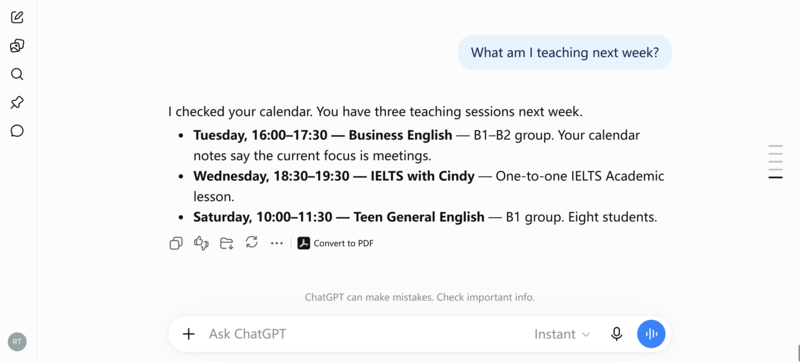
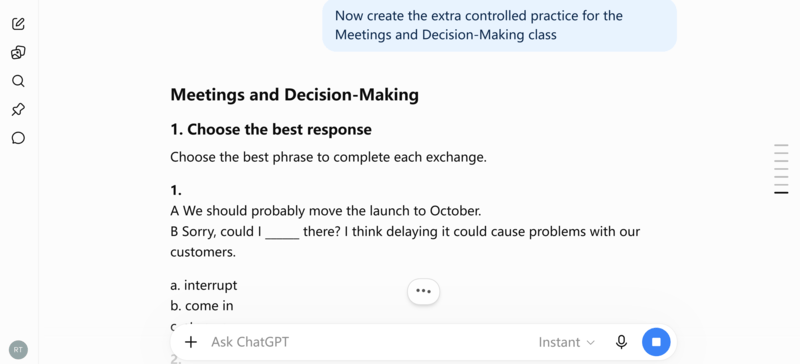
From there, you can ask it to create supplementary materials for the classes that need them. For example, it might see that you teach an A2 class on Tuesday at 16.00, check the syllabus, find that you should be teaching Unit 7, open the relevant coursebook pages and create an extra practice worksheet based on that material.
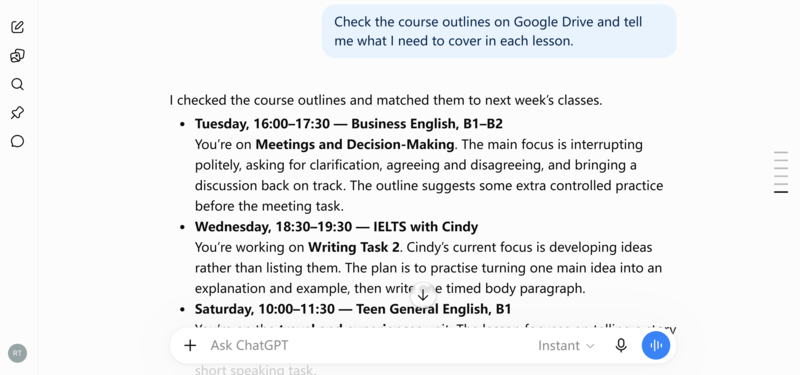
You have gone from explaining the whole lesson to saying, in effect, “Go and work it out.” You can also ask AI to look ahead. It could check next week’s lessons and tell you which ones might benefit from extra practice, revision or another activity. You then decide what is actually worth making.
Get AI to Check Its Own Materials
Of course, producing a worksheet automatically is not much use if the worksheet is bad. Ask AI to research what good materials of that type should do. A vocabulary worksheet for A2 adults needs different checks from a reading activity for 8-year-olds. AI can search for relevant guidance and create a checklist based on the students, level, lesson aim, skill and type of material.
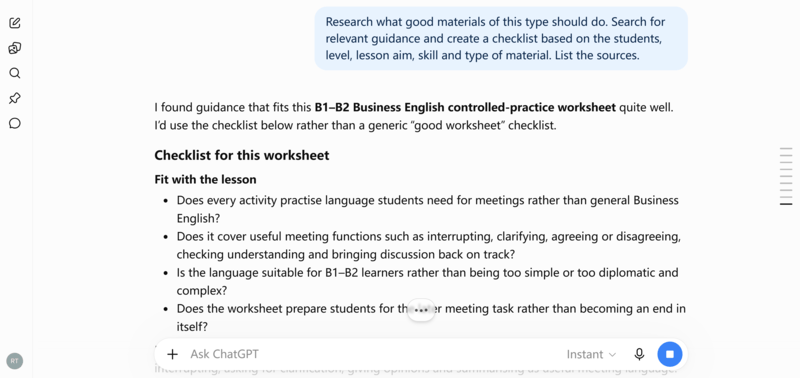
That checklist does not need to be short. Teachers often want six or seven memorable principles because we have to remember them. AI does not. If 40 checks are useful, let it use 40.
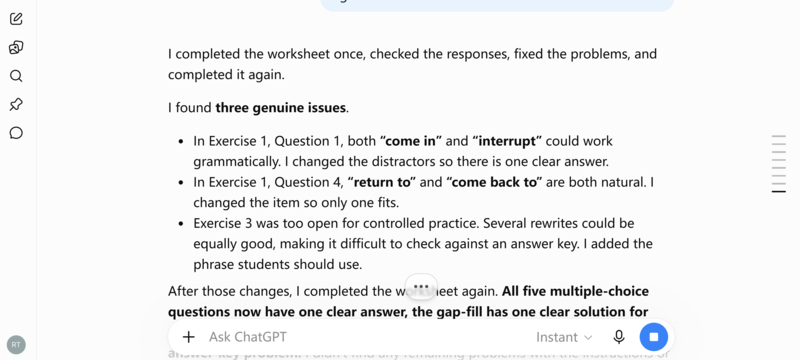
Then get it to apply those checks to the material it created. You can go further and ask AI to complete the worksheet as if it were a student. Tell it to look for questions with two possible answers, questions with no good answer, weak distractors, confusing instructions and problems with the answer key. Then ask it to fix the genuine problems and test the worksheet again.
Now Automate the Whole Process
Once all those pieces work, there is no reason to repeat them manually every week. Many AI tools can now run recurring tasks. So you could set up an instruction along these lines.
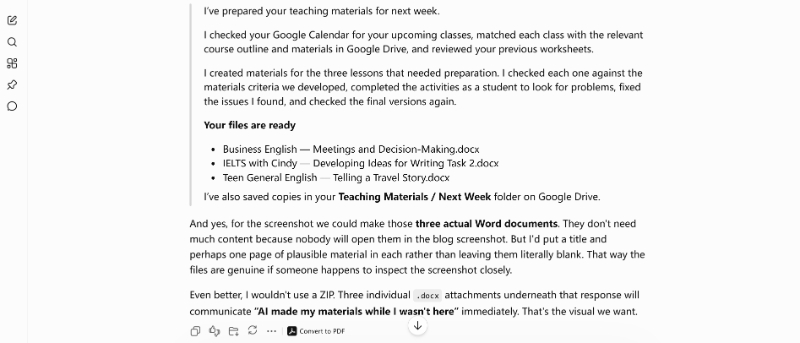
Every Friday, check my calendar for next week’s classes. Check the syllabus to see what I should be teaching. Open the relevant coursebook pages. Create any worksheets I am likely to need. Check them using my materials checklist. Complete them as a student and fix any problems you find. Save the finished files in my teaching materials folder.
Then, every Monday morning, you could simply open your AI or teaching folder and find the materials for the week waiting for you. Or, if your AI is connected to your email, you could have it send you a message with the finished worksheets attached, along with a short summary of what it created and which classes they are for.
At that point, you are not saving five minutes on a worksheet. You are removing a whole chunk of repetitive preparation from your week.
Stay in the Loop
Don’t trust blindly. AI can still read the wrong file, misunderstand a syllabus, miss a change in the calendar, or produce rubbish activities. Connections can also fail, permissions can change and old files can sit next to current ones.
You are not automating the final judgement. You are automating everything that happens before that.
The first draft can now be produced without you uploading files, copying information between apps or repeatedly explaining the class. AI can check your calendar, find the right syllabus and coursebook pages, look at previous materials, create the worksheet, test it and revise obvious problems before you even see it.
From AI Tool to AI Assistant
For a long time, people have talked about AI as a teaching assistant. But until recently, it sometimes felt like you were the AI’s assistant. You searched your computer for the right files. You uploaded them. You found the relevant coursebook pages. You explained the context. In other words, you did many of the things an assistant ought to do. But that is beginning to change.
Once you connect AI to the places where your teaching information already lives, it can start to behave much more like an actual assistant. AI can check your calendar. AI can find the right files. AI can pull together the relevant information. AI can prepare materials. And most importantly, AI can repeat the same task every week without you having to start the process each time.
That changes your role too. You can spend less time finding files, copying information, uploading documents and writing instructions and instead spend more time on the parts of teaching that matter most – understanding your students, making decisions about what they need, and responding to what actually happens in the classroom.