
2nd April 2026
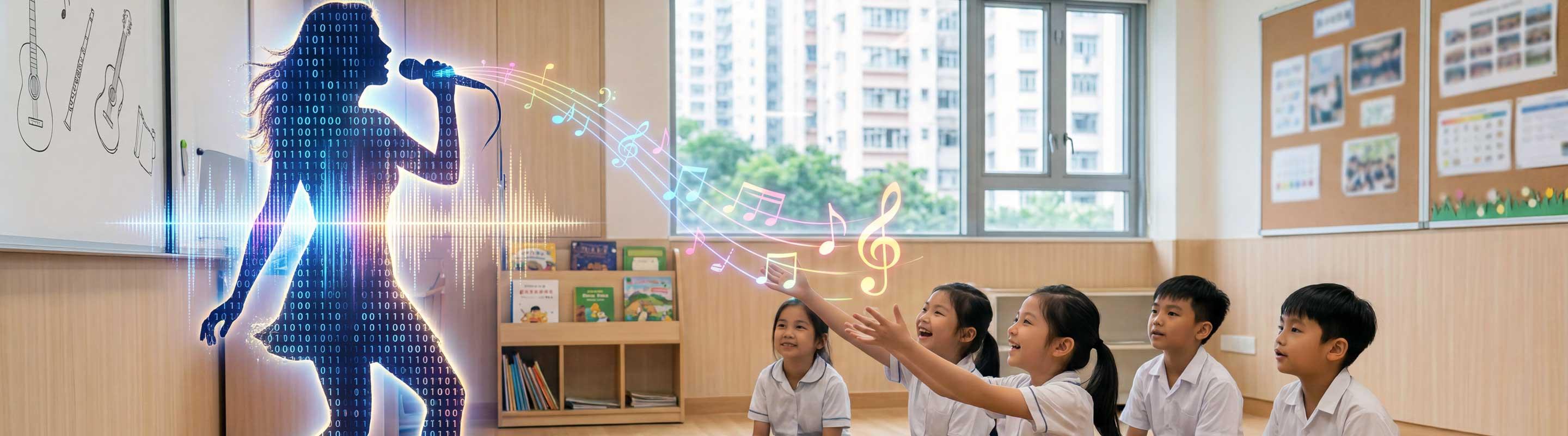
A few weeks ago, I saw a strange news story on the BBC about an artist called Sienna Rose who was doing extremely well on Spotify. Her songs had thousands of streams and were getting a lot of attention online, but fans started to notice something odd – there were no live performances, no music videos, and only a few photos. Eventually, people worked out what was going on: the artist didn’t exist. The music was real, but the performer had been created using AI.
Some people reacted to the story with alarm. If AI can generate convincing music and artists, what does that mean for real musicians? Is it okay to like music that wasn’t made by a real person? But when I read it, my first thought was slightly different. If AI can produce pop stars, teachers can probably produce something much simpler – a song for a lesson.
The Power of Songs in Language Teaching
Songs have always worked well in language teaching. They’re a huge part of teaching young learners, but they can also work well with adults. Songs expose students to chunks of language in a natural way, presenting language in a memorable way, and often lead to different reactions from students.
The problem has always been practical. It’s difficult to find a song that matches a particular grammar point or lexical set. Writing and recording your own songs for class would be impossible for most teachers.
AI changes that. In this post, we’ll look at two main ways teachers can use AI-generated music in class: rewriting lyrics for existing melodies, and generating songs from scratch for a specific classroom purpose.
How to Rewrite Song Lyrics with AI
Rewrite Song Lyrics for Vocabulary Practice
One simple way to use AI is to rewrite the lyrics of an existing song so that it practises a particular language point. Instead of searching for a song that already fits your lesson, take a familiar melody and ask AI to adapt the lyrics to match your grammar or vocabulary focus.
For example, teachers might rewrite a children’s song so that it practises a grammar point, a lexical set, or just a topic from the lesson. Because students already recognise the tune and rhythm, it’s easier to sing along. It’s also easy to find a backing track with no lyrics.
Prompt: Rewrite the lyrics of the song {song name}. Instructions: 1. Keep the same melody, rhythm, and rhyme pattern so the new lyrics can be sung to the same tune. 2. Keep the same verse structure as the original song. 3. Change the topic so the song practises vocabulary about {topic}. 4. Keep the same number of syllables in each line as in the original. 5. Adjust the language so it suits {CEFR level} learners.
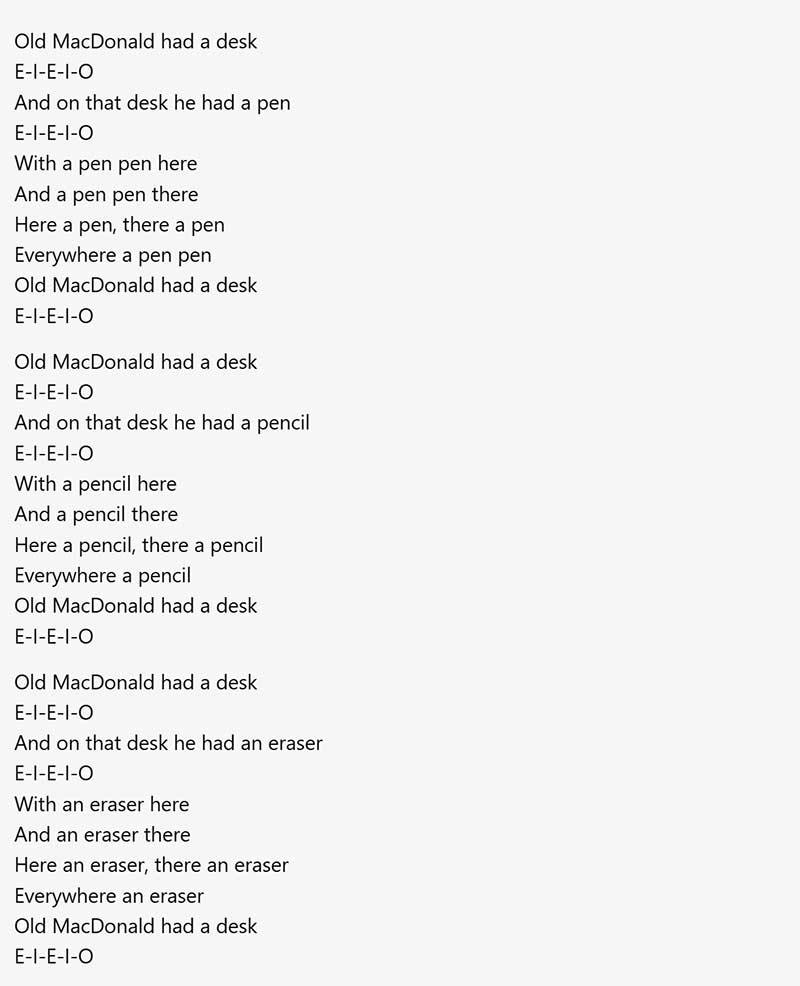
As an extension, ask students to add one verse of their own using the same pattern.
Rewrite Song Lyrics for Grammar Practice
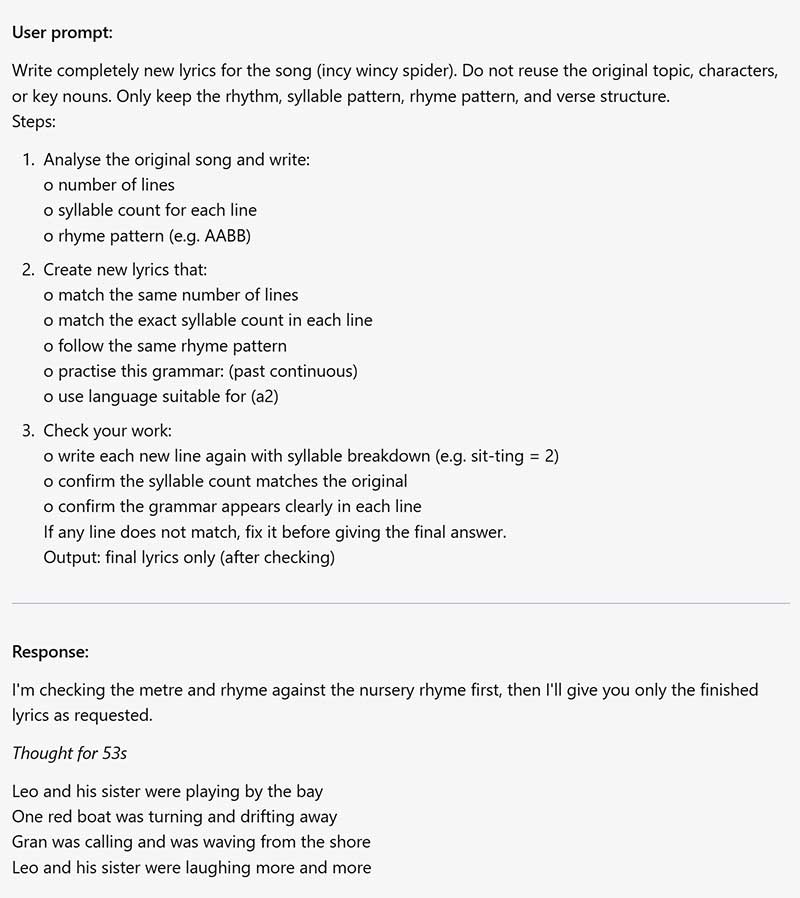
With grammar, it gets trickier. Changing a few words in a song won’t cut it. You’ll need a complete rewrite.
Prompt: Write completely new lyrics for the song {song name}. Do not reuse the original topic, characters, or key nouns. Keep only the rhythm, syllable pattern, rhyme pattern, and verse structure. You must follow this process in order and show all stages.
Stage 0: Ask me for the grammar point and CEFR level of my learners.
Stage 1: Analyse the original song. Write
- the number of lines
- the full text of each original line
- the syllable count for each original line
- the rhyme pattern
- Stage 2 Create new lyrics. The new lyrics must
- have the same number of lines as the original
- match the exact syllable count of each original line
- follow the same rhyme pattern
- practise the grammar clearly in every line or wherever possible without sounding unnatural
- use language suitable for the CEFR level
- use a completely different topic from the original
Stage 3: Check the new lyrics side by side against the original. Make a table with these columns
- line number
- original line
- original syllable count
- new line
- syllable breakdown of new line
- new syllable count
- rhyme match yes or no
- grammar used yes or no
Stage 4: Fix any problems. If any new line does not match the original syllable count, rhyme pattern, or grammar target, rewrite it and check again before continuing.
Stage 5: Give the final answer. After all checks are complete, output the final lyrics again on their own under the heading “Final lyrics”.
Rules
- Do not skip any stage
- Do not guess syllable counts
- Count syllables explicitly
- Do not give the final lyrics until the side-by-side check is complete
Creating Original Classroom Music from Scratch
But this is only the start. AI can now do a lot more than write new lyrics for an old tune. It can also create original songs from scratch, complete with music and vocals. This means that teachers are no longer limited to adapting what already exists. You can create new music that fits precisely what you want to teach.
Recommended AI Music Tools for Teachers (Suno & Udio)
Two tools that are easy to experiment with are Suno and Udio.
Suno generates complete songs from a short text prompt. It creates lyrics, vocals, and instrumental music automatically, and free accounts allow users to generate several songs each day. You can listen to a song I made about spelling rules.
Udio also generates songs from text prompts and allows users to experiment with different musical styles and genres. The platform offers free credits, which makes it easy for teachers to try the tool without needing any musical knowledge. You can listen to a song I made about how language teachers can use AI created music.
Both tools work from simple prompts and can produce usable results within a few minutes. A simple way to start is to describe the kind of song you want to an AI chatbot first (ChatGPT or Claude), and get it to write the prompt for you. Then you can paste that into a music generator and see what it comes up with.
Prompt: I want to create a song for my English language class using an AI music generator. Ask me the following questions one at a time, then use my answers to write a prompt I can paste into Suno or Udio. Ask me these questions one at a time to get all the information you need.
- What is the language focus? (grammar point, vocabulary set, or topic)
- What level are your students? (beginner, intermediate, advanced, or CEFR level)
- What age are your students? (kids, teens, adults)
- What musical style or genre would work for your class?
When you have all my answers, write a single prompt I can paste directly into a music generator.
5 More AI Music Activities to Try in Class
There are many other ways to use AI-generated music in class.
1. Grammar Rule Songs
Ask AI to write a song where the lyrics explain a grammar rule students need to remember. For example, a song about when to use the past simple or present perfect. Students listen to the song and then explain the rule in their own words.
2. Spot the Language Mistakes
The teacher generates song lyrics that include a grammar point from the lesson. An AI chatbot then rewrites the lyrics and intentionally changes the target language in ways that create mistakes. AI then turns the incorrect lyrics into a song. Students listen and try to identify the parts that sound wrong before correcting the lyrics.
3. Musical Dictogloss
The teacher generates a short AI song that includes a grammar point or vocabulary set from the lesson. Students listen once without writing, then listen again and write down key words or phrases they hear. In pairs or small groups, they reconstruct the lyrics as accurately as possible before comparing their version with the original.
4. Prompt Guessing Game
Students write prompts to generate songs using an AI music tool. They play the songs for their classmates, and the class listens and tries to guess which key words were used in the prompt.
5. Create Your Own Band
Students create a fictional band. They design the band name, write a short biography, generate images of the band members, and create a song using an AI music tool. The class then holds a virtual talent show where each group presents their band and plays their song. Students vote for their favourite.
Conclusion: From Fake Pop Stars to Real Learning
When the Sienna Rose story broke, the worry was that AI had been used to deceive – to create something that looked real but wasn't. That worry makes sense. But the same technology works just as well the other way. The tool that built a fake pop star can give your students an earworm about verbs they're still humming on the bus home, or a familiar tune with different words that makes new vocabulary stick.